Google Web Guide: What It Means for SEO in 2026
Google is quietly pushing one of its most consequential search experiments into a much more visible spot. In late July 2026 it began expanding Web Guide — the Gemini-powered feature that reorganizes the results page into AI-generated topic clusters — from the niche "Web" tab into the default "All" tab, the results view the vast majority of users actually see. For anyone who cares about organic traffic, that is the moment Web Guide stopped being a curiosity and started being something to plan for.
Unlike AI Overviews, Web Guide keeps the blue links. It does not summarise your page and end the journey; it takes the same ten-or-so results and rearranges them into labelled groups, each answering a different slice of the query. That makes it less threatening than a full AI answer — and, for well-structured sites, potentially a bigger opportunity. This guide explains what Web Guide is, how it works, what the "All" tab expansion changes, and exactly how to make your pages surface inside those clusters.
What is Google Web Guide?
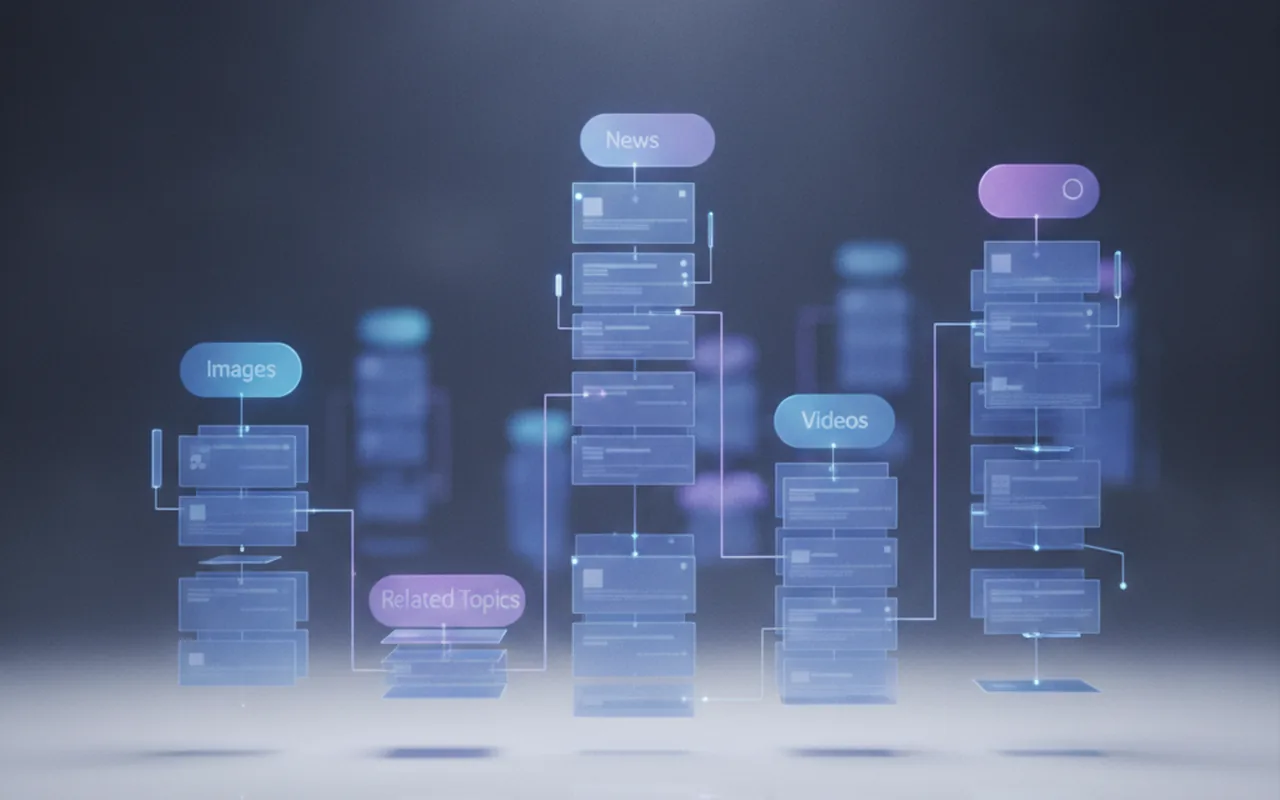
Web Guide is a Google Search Labs experiment that uses a custom version of Gemini to group the normal web results for a query into AI-generated topic clusters instead of one flat, ranked list. Each cluster gets its own descriptive heading — think "getting started," "common problems," "expert opinions," "products and pricing" — with a short AI-written intro and a handful of clickable links grouped underneath.
Google first launched Web Guide in the Web tab in July 2025 and, per Google's own announcement, framed it as a way to "intelligently organize the search results page" so people can find pages for specific aspects of their query more easily. It is opt-in through Search Labs, and users can flip back to the standard list at any time — but the July 2026 move to test it inside the "All" tab is a clear signal of where Google wants this to go.
The distinction that matters for SEO: Web Guide is a results-organizing layer, not an answer-generating one. Your links are still there and still clicked. What changes is the shape of the page they live on and the logic that decides which of your pages appears in which group.
How Web Guide works: query fan-out under the hood
Web Guide runs on the same core mechanic as Google's AI Mode: query fan-out. Instead of matching your one typed query against the index, the model silently breaks it into a spread of related sub-queries, runs them in parallel, and uses the results to build the clusters you see. Each thematic group on a Web Guide page roughly corresponds to one of those hidden sub-queries.
So a search like "how to start a podcast" might fan out into clusters such as equipment and gear, hosting and distribution, growing an audience, and monetization — each populated with the pages that best answer that specific angle. If you want the full mechanics of how this decomposition works and how to structure content for it, we covered it in depth in what query fan-out is and how to optimize for it.
The practical upshot: Web Guide does not reward the single best page for a head keyword. It rewards the best page for each facet of a topic. A site with deep, well-segmented coverage can appear in several clusters on the same results page; a site with one shallow page competes for one slot and may miss the rest entirely.
Web Guide vs AI Overviews vs classic results
It is easy to lump every AI search change together. Web Guide is genuinely different from the AI Overview box, and the difference is good news for publishers who have watched click-through rates fall.
| Feature | Classic results | AI Overviews | Web Guide |
|---|---|---|---|
| What you see | Flat ranked list of ~10 links | AI-written summary + a few citations | Links grouped into AI-labelled topic clusters |
| Blue links | Yes | Reduced / pushed down | Yes — kept and re-sorted |
| Answer given on-page | No | Yes (can end the click) | No — organizes, does not answer |
| Underlying mechanic | Single-query ranking | Query fan-out + generation | Query fan-out + clustering |
| Opportunity per page | One ranked position | One citation slot | Multiple clusters, multiple slots |
Because Web Guide preserves and re-sorts links rather than replacing them, it is closer in spirit to a smarter results page than to a chatbot. That is why some SEOs see it as a partial answer to the click-loss problem — a topic we unpacked in how to get blue links back in Google Search.
Why the "All" tab expansion matters
Until now, Web Guide lived in the "Web" tab — a filter almost no one uses by default. Its reach was effectively zero for normal searchers. Moving the test into the "All" tab changes the stakes entirely, for three reasons.
1. It reaches the default audience
The "All" tab is the results view most people land on. If Web Guide graduates from Labs into "All" for even a slice of queries, clustering stops being an edge case and starts shaping how ordinary users encounter your pages.
2. It rewrites what "position" means
In a clustered layout, "ranking third" is meaningless. What matters is which cluster you land in and whether that cluster reflects a real user intent. A page can be the top link in the "comparisons" group and never appear in the "getting started" one — position becomes contextual, not absolute.
3. It rewards breadth over a single hero page
Sites that cover a topic across an interlinked set of pages can occupy several clusters at once. Sites that put everything on one long page — or thin out across near-duplicate pages — struggle to map cleanly onto distinct groups. This is another reason building topical authority across a content cluster now outperforms chasing one keyword.
How to optimize your content for Web Guide
The good news is that Web Guide does not demand a new playbook. It amplifies the same structural signals that already help you get cited in AI search. Here is where to focus.
1. Cover the facets, not just the head term
List every angle a searcher might want — getting started, costs, comparisons, problems, tools, examples — and make sure each has a page or a clearly headed section that owns it. Each facet is a potential cluster you can appear in.
2. Give every section a self-contained, descriptive heading
Web Guide's clustering leans on clear structure. Descriptive H2s and H3s that each answer one question — opened by a direct, quotable sentence — are far easier for the model to slot into a labelled group than vague headings over sprawling prose.
3. Build clusters, not monoliths
A hub-and-spoke architecture — one pillar page plus focused supporting articles, tightly interlinked — gives the engine multiple distinct pages to place into multiple distinct groups. Internal links tell Google which pages belong to the same topic family.
4. Lead with the answer
An answer-first style (conclusion first, nuance after) is exactly what both the clustering step and the intro-writing step want to extract. It also protects you if the same content is pulled into an AI Overview elsewhere.
5. Keep it fast, dated and machine-readable
Clean HTML, Article and FAQPage schema, visible publish/update dates, concrete figures and content that renders without JavaScript all help retrieval systems parse your passages. If a bot cannot read the section, it cannot cluster it. For the broader picture of optimizing toward Google's agent-driven systems, see our guide to optimizing for Google's information agents.
Should you worry about Web Guide?
Not in the way you worry about AI Overviews. Web Guide keeps your links and keeps the click — it just reshuffles the shelf. The realistic risk is subtler: if your site is thin or single-page, a clustered layout can make competitors with deeper coverage visibly out-organize you across several groups on one page. The realistic opportunity is the mirror image — a well-structured site can appear more than once and capture intent it previously missed.
It is also still an experiment. Web Guide is opt-in via Search Labs and the "All" tab rollout is a limited test, not a global launch. But Google has a consistent pattern of graduating Labs features that test well, and the direction of travel — fan-out, clustering, facet-level retrieval — is the same one running through AI Mode and AI Overviews. Preparing for Web Guide is, in practice, just preparing for how Google search already works.
The takeaway
Web Guide is Google reorganizing the results page around intent facets instead of a single ranked list, powered by the same query fan-out that drives AI Mode. Its move into the "All" tab in mid-2026 is the moment it becomes worth planning for. The winning strategy is not new: cover every facet of your topic, structure each one as a clean, self-contained, answer-first section, and connect it all into an interlinked cluster. Do that, and Web Guide becomes a chance to show up several times on one results page — not a threat that buries you.