How to Get Blue Links Back in Google Search (2026)
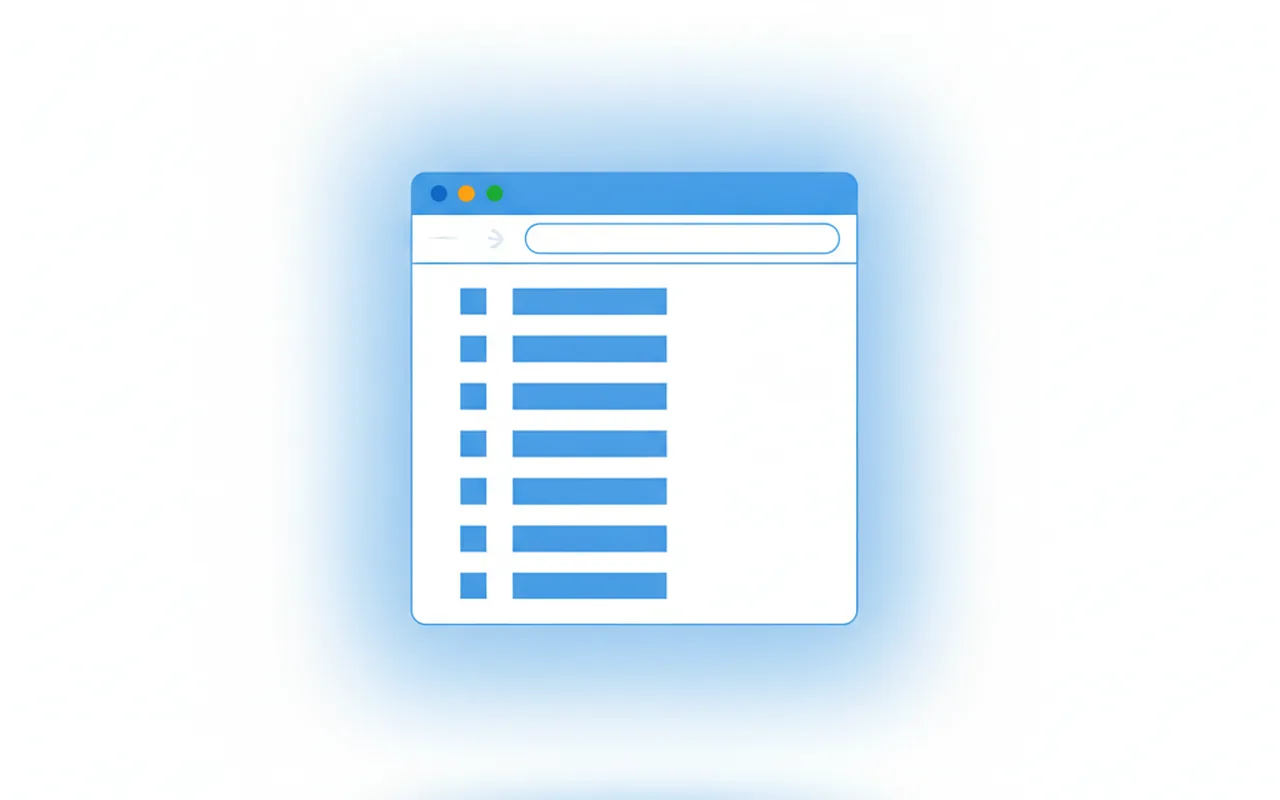
On July 10, 2026, Google finished rolling out the change it teased at I/O: an AI-written answer, generated by Gemini 3.5 Flash, is now the default response to every query worldwide, pushing the familiar list of ten ranked blue links below the fold. If you searched for a recipe, a spec sheet or a how-to this week and got a wall of synthesised text instead of clickable results, that is the new default — not a glitch. The good news: the blue links are still there, and you can bring them back. This guide shows every reliable method, on desktop and mobile, plus what the shift means if you run a site.
What actually changed on July 10, 2026
Google did not delete traditional results — it demoted them. Where a search once returned ten ranked links as the primary output, the page now leads with a full AI answer and tucks the classic results underneath or behind a filter tab. Reporting on the rollout describes it plainly: every Google query now returns an AI-generated answer as its main result, and the ten blue links are no longer what you see first (Tech Times).
The engine behind it is Gemini 3.5 Flash, which Google made the global default for AI answers earlier in the year. As CEO Sundar Pichai put it, the model is "at almost 90% of the performance of frontier models, 4x faster, and about one-third to one-half the cost" — cheap and fast enough to run on every single search, which is exactly why Google can now afford to. There is no official off switch and no permanent toggle that restores the pre-July experience. But there are two dependable workarounds.
Why Google flipped the default now
This did not come out of nowhere. Three forces converged to make an AI-first results page the obvious move for Google in 2026.
First, adoption crossed a tipping point. AI Mode passed a billion monthly users this year, and once a majority of people reach for conversational answers by choice, keeping ranked links as the default starts to look like the exception rather than the norm — the wider story we cover in Google AI Mode hitting a billion users. Second, the economics finally worked. Earlier generations of answer models were too slow and too expensive to attach to every query; Gemini 3.5 Flash is fast and cheap enough that Google can generate an answer for all of them without the cost spiralling. Third, competitive pressure. ChatGPT and Perplexity trained a large audience to expect a synthesised answer rather than a link list, and Google could not afford to feel dated by comparison.
The result is a genuine change in what a "search" is. The page no longer points you at ten sources and lets you choose; it reads those sources and hands you a written conclusion, with citations tucked to the side. For quick facts that is often welcome. For research, shopping comparisons or anything where you want to weigh sources yourself, many people still want the raw list — which is exactly why the workarounds below matter.
Method 1: The Web filter tab (works everywhere, per search)
The fastest way to see classic results is the Web filter. It works on desktop and mobile, in any browser, with no setup.
- Run your search as normal.
- Look at the row of filter tabs directly under the search bar — All, Images, News, Videos, and so on.
- Click Web. If you do not see it, tap More to reveal it.
The page reloads into ten blue links with the AI answer stripped out. The catch: it is per-search. Every new query snaps back to the AI interface, so you have to click Web each time. That friction is fine for the occasional search but tiresome as a daily habit — which is where method 2 comes in.
Method 2: The udm=14 trick (set it and forget it on desktop)
The most reliable permanent fix on desktop is the &udm=14 URL parameter. The udm ("unified display mode") value tells Google which layout to serve, and 14 maps to the plain web-results view with no AI answer. Append it to a search URL and you get classic links every time. Better still, you can bake it into your browser so it happens automatically.
Here is how to make Google Web Mode your default search engine in Chrome:
- Paste
chrome://settings/searchEnginesinto the address bar and press Enter. - Next to Site search, click Add.
- Name it Google Web, set the shortcut to something like
g, and paste this into the URL field:https://www.google.com/search?q=%s&udm=14 - Save, then click the three-dot menu next to your new entry and choose Make default.
From then on, everything you type into the address bar returns classic blue links. Firefox, Edge and Brave all support custom search engines through the same idea — add a keyword search that includes &udm=14 and set it as default. On mobile the setup is clunkier, so the Web filter tab remains the practical choice on phones.
A quick comparison
| Method | Where it works | Effort | Sticks? |
|---|---|---|---|
| Web filter tab | Desktop & mobile, any browser | One click per search | No — resets each query |
| udm=14 as default | Desktop browsers | Two-minute setup, once | Yes — every search |
| udm=14 manual | Anywhere you edit the URL | Edit the address each time | No |
The limits: why "off" is never fully off
Neither method is a hard kill switch, and it is worth being honest about the edges:
- udm=14 is a display request, not a setting. Personalisation, query intent and account signals can still surface AI elements in some cases. It is reliable, not absolute.
- Google can change the parameter.
udmvalues are undocumented and have shifted before. If14ever stops working, the community usually maps the replacement within days. - The Web tab can move. Google reorders filter tabs often, so it may hide under More on your layout.
- No account-wide toggle exists. As of mid-2026 there is no single switch in Google settings that turns AI answers off permanently — these workarounds are the closest thing.
What this means if you run a website
For searchers, blue-links-back is a convenience. For publishers, the July 10 default is a traffic event. When an AI answer resolves the query on the results page, the click you used to earn can vanish — and reporting around the rollout notes publisher clicks falling sharply as AI answers absorb informational demand. Zero-click search, already the dominant pattern, just became the out-of-the-box experience for everyone.
The strategic response is not to fight the interface but to become a source the model quotes. The same fundamentals that won rankings now win citations: answer-first writing, clean passage-level structure, fresh dated content and provable expertise. We walk through the tactics in depth in our guide to optimising for AI search, and we cover the wider context in Google AI Mode hitting a billion users. To see how much AI visibility you are already capturing, open the Generative AI performance report in Search Console — it is the one place you can measure impressions inside AI answers natively.
Put simply: users can reclaim their blue links with a click or a parameter. Site owners cannot opt out of the shift — but they can make sure that when the AI answers, their page is the one it cites.
FAQ
Did Google really replace search with AI in July 2026?
It replaced the default. On July 10, 2026, Google made an AI-generated answer the primary response to every query worldwide, pushing the ten classic blue links below the fold. The links still exist; they are no longer what you see first.
What is the fastest way to get blue links back?
Click the Web filter tab under the search bar after running a search. It works on any device and strips out the AI answer — but you must click it for each new search.
How do I make classic Google results permanent on desktop?
Add a custom search engine that uses https://www.google.com/search?q=%s&udm=14 and set it as your browser default. Every address-bar search then returns classic blue links automatically.
Does udm=14 turn off AI search completely?
No. It requests the plain web-results layout, but personalisation, query intent and account settings can still trigger AI elements. There is no official permanent off switch.
Will the udm=14 trick keep working?
It works reliably today, but udm values are undocumented and Google has changed them before. If 14 ever stops working, expect the SEO community to identify the new value quickly.