What Is API Rate Limiting? A Business Owner’s Plain-English Guide

TL;DR: API rate limiting caps how many requests a client can send to your API in a given time window. When a client exceeds the cap, your server returns a 429 Too Many Requests error instead of processing the call. It protects your infrastructure costs, prevents abuse, and ensures no single user can monopolize shared resources — all without any change to your core application logic.
Every time your mobile app loads a product listing, your website submits a form, or a partner integration pulls your customer data, it is making an API call. Those calls are cheap when they are orderly. They become very expensive — or dangerous — when they are not. A misconfigured partner script that fires a request every second, a competitor scraping your product catalog, or a free-tier user running a batch job that was meant for enterprise customers: all of these scenarios can quietly drain your infrastructure budget or degrade performance for everyone else on your platform.
Rate limiting is the mechanism that prevents all of that. This guide explains what it is, how the four main algorithms work, when you actually need it, and how to set the right limits — without requiring you to write a line of code.
The Problem That Rate Limiting Solves
Imagine a popular nightclub with a 200-person fire-code limit. The bouncer counts everyone who enters within each hour. Once the club hits 200, new arrivals wait outside — not because the bouncer dislikes them, but because letting in more people would create a fire hazard for everyone already inside.
Your API works the same way. Every request consumes server CPU, memory, database connections, and — if you are using cloud compute — money. A server can handle a finite number of requests per second before latency spikes or the service crashes. Without a bouncer at the door, one bad actor — or one honest developer with a bug in their loop — can make your API unusable for every other legitimate user.
Rate limiting is that bouncer. It counts requests per client over a rolling time window and turns away excess traffic before it ever touches your backend.
What Is API Rate Limiting, Exactly?
API rate limiting is a policy that restricts how many times a caller — identified by API key, IP address, user account, or subscription tier — can call your REST API (or any API) within a defined time window. The policy lives at the infrastructure layer, not the application layer: your business logic never runs for rejected requests.
Here is how the mechanism works in plain steps:
- Client sends a request. The mobile app, partner system, or browser calls
GET /products. - Gateway checks the counter. Your rate-limiting layer looks up how many requests this caller has already made in the current window (say, the last 60 seconds).
- Under the limit? The request passes through. The counter increments by one. Your server handles the call normally.
- Over the limit? The request is rejected immediately with
HTTP 429 Too Many Requests. The response includes aRetry-Afterheader (defined in IETF RFC 6585) telling the caller when it may try again. Your backend never sees the request and pays no processing cost.
Well-designed rate limiting also returns informational headers on every response — X-RateLimit-Limit (the cap), X-RateLimit-Remaining (how many calls are left), and X-RateLimit-Reset (when the window resets) — so compliant clients can pace themselves before hitting the hard wall.
Why It Matters for Your Business (Not Just Your Engineers)
Protecting Infrastructure Costs
Cloud compute is metered. Every database query, every Lambda invocation, every outbound bandwidth byte has a price. An API without rate limits is an API with an uncapped spend. A single runaway integration — a partner who pushes a bad deployment at 2 a.m. — can add thousands of dollars to your monthly bill before anyone notices. Rate limiting puts a hard ceiling on how much of your infrastructure any single client can consume, turning an unbounded cost exposure into a controlled, predictable one.
Preventing Abuse and DDoS-Adjacent Traffic
Public APIs attract credential-stuffing bots, price scrapers, and automated probes looking for misconfigured endpoints. Even at traffic volumes well below a true DDoS attack, this traffic degrades performance for legitimate users and drives up costs. The OWASP API Security Top 10 lists unrestricted resource consumption as one of the most common and damaging API vulnerabilities. Rate limiting is the primary technical control against it.
It also protects you from well-meaning developers: a partner who accidentally deploys a tight polling loop, a mobile app that retries failed requests without backoff, or a data-import job that was tested against a sandbox with no limits. These are not malicious actors, but they can cause the same damage. Rate limits catch all of them.
Ensuring Fairness Across Users
On a shared platform, resources are finite. A single enterprise customer running a bulk export can saturate your database connection pool and make the product unusable for every other paying user at that moment. Rate limiting enforces fair-use boundaries: free-tier users get a smaller slice, paid users get more, enterprise customers get dedicated headroom. One power user cannot starve everyone else.
The Four Main Algorithms — and Which One to Ask For
Your engineering team will pick the implementation; your job is to understand the trade-off so the conversation is productive. There are four standard algorithms. Each makes a different choice about how to handle burst traffic.
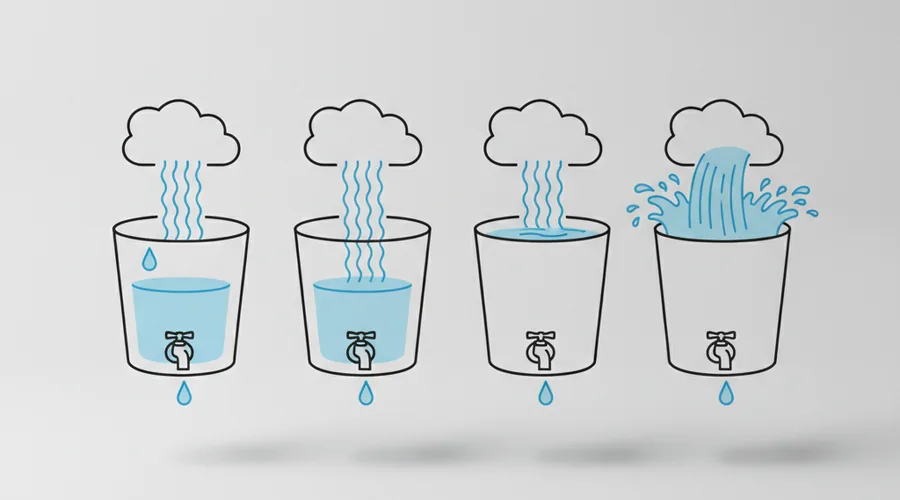
| Algorithm | How it works (one sentence) | Best for | Main downside |
|---|---|---|---|
| Fixed Window Counter | Counts requests in fixed calendar slots (e.g., 0–59 seconds); resets counter at the boundary. | Low-traffic internal APIs where simplicity matters most | A burst at the window edge (e.g., 100 requests in the last second of window 1 + 100 in the first second of window 2) can double the effective rate briefly. |
| Sliding Window Log | Stores a timestamp for every request; counts those within the last N seconds on each new request. | User-facing public APIs where precision and fairness matter | Memory-hungry at scale — storing a timestamp per request for millions of clients requires significant RAM. |
| Token Bucket | Each client has a “bucket” that refills at a fixed rate; each request consumes one token; burst is allowed while tokens remain. | APIs with legitimate bursty usage patterns (e.g., a user who uploads a batch of files once an hour) | Slightly more complex to implement and explain; requires a persistent token store (typically Redis). |
| Leaky Bucket | Requests queue up and drain at a constant rate — output is always smooth, regardless of input burst size. | Payment or financial APIs where consistent throughput matters more than burst tolerance | Rigid: legitimate burst traffic that exceeds queue capacity is simply dropped, even if the client’s daily quota is not exhausted. |
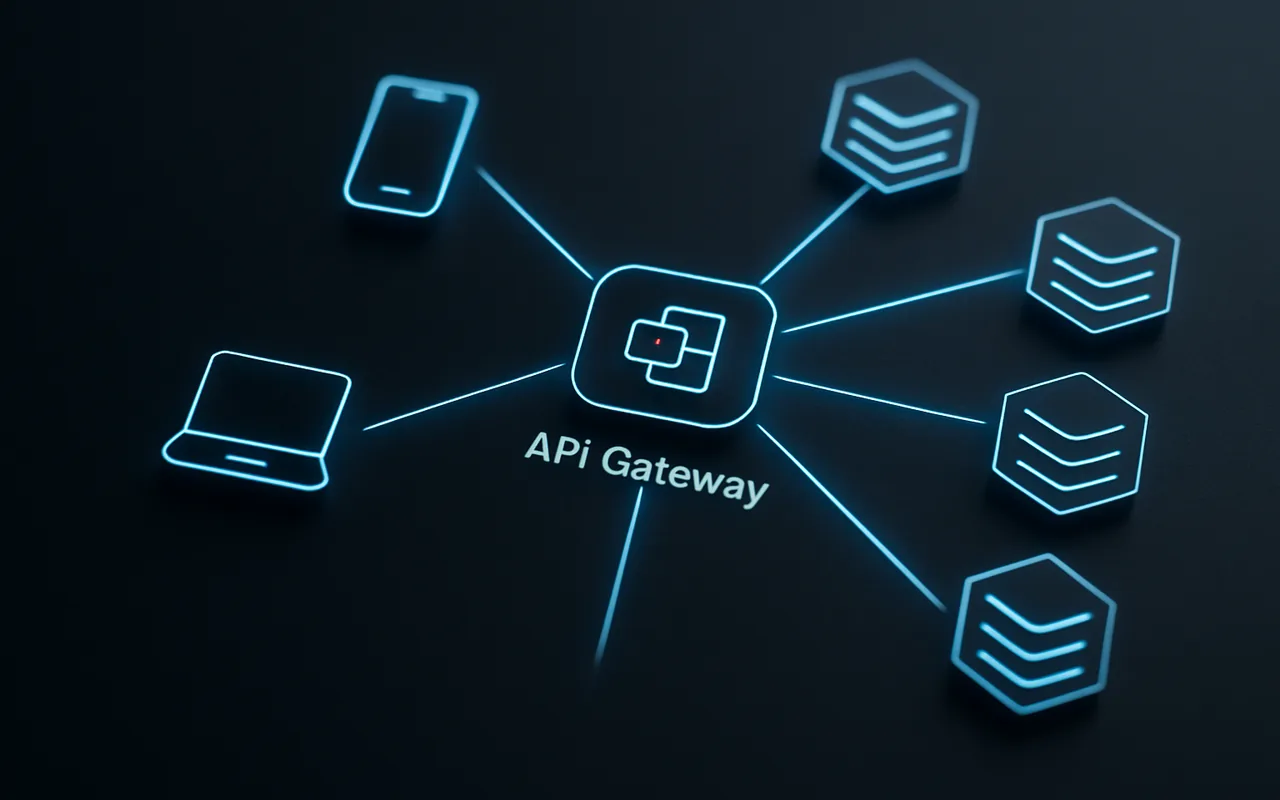
Token Bucket is the most common choice for developer-facing APIs because it rewards clients who pace themselves (tokens accumulate) while still capping sustained excess. An API gateway — Kong, AWS API Gateway, or similar — typically implements one of these algorithms as a configurable policy that applies before any request reaches your application code.
When Does Your API Need Rate Limiting?
You almost certainly need it if any of the following are true:
- ✅ Your API is public or semi-public. Any endpoint accessible outside your own backend is a target for misuse.
- ✅ Pricing is usage-based and tied to downstream costs. If each API call triggers a database query, a third-party API call, or a cloud function invocation, an unbounded client is an unbounded cost.
- ✅ You offer tiered plans. Free, Pro, and Enterprise users should get different resource allocations — rate limits are how you enforce that without custom code per tier.
- ✅ Any client could loop-call without user friction. Server-to-server integrations and scheduled jobs have no natural pauses. Humans get tired; scripts do not.
You probably do not need it yet if:
- Your API is purely internal — only called by services you control and deploy.
- You are still running a true monolith with a single, authenticated frontend and no external integrations.
- You have a single trusted client and the volume is low enough that overload is not a plausible scenario.
When you do cross into public or multi-tenant territory, adding rate limiting retroactively is far harder than building it in from the start.
How to Set the Right Limits for Your Product
There is no universal “correct” limit — the right number depends on what your infrastructure can sustain and what your users legitimately need. That said, the following framework works well for most product teams.
Start with a tiered model. Free tier gets the most conservative limit (e.g., 60 requests per minute per API key). Paid tiers get proportionally more. Enterprise customers negotiate a dedicated allocation. This aligns your infrastructure spend with revenue and gives you a natural upsell lever.
Start conservative, monitor, expand. It is much easier to relax a limit than to tighten one after users have built integrations against a generous baseline. Launch with limits 30–50% below your theoretical infrastructure ceiling. Watch which users hit them. If legitimate use cases routinely hit the wall, raise the limit — do not apologize for starting low.
Use soft limits before hard limits. A soft limit warns clients that they are approaching the cap (via response headers) before the hard block kicks in. This lets well-behaved integrations back off gracefully instead of hitting a hard wall without warning.
Communicate limits clearly. Put the limits in your developer docs, in your API error messages, and in your onboarding flow. A 429 with no explanation destroys developer trust; a 429 with a clear Retry-After header and a docs link is a useful guardrail. If you are designing an API-backed product from scratch, working with a custom software development partner who has built rate-limited systems before will save you expensive refactoring later.
Also consider the build vs. buy decision for your rate-limiting layer. Managed API gateways handle the distributed counter, the Redis backing store, and the header plumbing for you. Building this yourself is a solved problem that rarely justifies the engineering time unless your requirements are highly unusual.
Common Mistakes Product Teams Make
- Setting limits too tight at launch. Frustrating legitimate users on day one is far more damaging to your reputation than a brief cost spike. If you are unsure, start at 2–3× your expected peak legitimate usage.
- Not returning useful error messages. A raw
429with no body and noRetry-Afterheader is a debugging nightmare for the client developer. Include when they can retry, how many requests remain, and a link to your rate-limit docs. - Applying the same limit to all endpoints. A health-check endpoint (
GET /status) and a compute-heavy search endpoint (POST /search) do not cost the same. Using a single global limit either over-penalizes cheap calls or under-protects expensive ones. Limit by endpoint cost, not just by client. - Forgetting distributed systems. If your API runs on ten servers and each server maintains its own local counter, each server allows the full quota — meaning a client could effectively make 10× the intended limit. Distributed rate limiting requires a shared counter store (typically Redis with atomic increment operations) that all servers read from. This is a common oversight when moving from a single server to a multi-instance deployment.
What to Monitor (Even If You’re Not Technical)
You do not need to read log files yourself, but you should ask your team for a dashboard that surfaces these four signals:
- Rate-limited request rate. What percentage of total API traffic is being rejected with 429? Under 1% is healthy; above 5% suggests your limits are too tight or a client is misbehaving.
- Which API keys or users hit limits most often. A legitimate power user hitting limits is a sales conversation; a bot hitting limits is an abuse investigation.
- Error spikes. A sudden surge in 429s that does not correlate with normal traffic growth often signals either a misconfigured integration on a partner’s side or an active abuse attempt.
- Cost per request trend. If your infrastructure cost per API call is rising but request volume is flat, someone is making calls that cost more per unit — investigate before it becomes a budget crisis.
Frequently Asked Questions
What’s the difference between rate limiting and throttling?
The terms are often used interchangeably, but there is a meaningful distinction. Rate limiting is binary: once a client exceeds the cap within a window, requests are blocked entirely until the window resets. Throttling is more graduated: requests are slowed down — queued and released at a reduced rate — rather than hard-blocked. In practice, most production systems use rate limiting (hard block at threshold) rather than true throttling, because throttling adds queuing complexity and can inflate response times in ways that are hard to explain to API consumers.
What HTTP status code does rate limiting return?
429 Too Many Requests, standardized in RFC 6585. A well-implemented 429 response also includes a Retry-After header (seconds until the window resets) and optionally the X-RateLimit-Limit, X-RateLimit-Remaining, and X-RateLimit-Reset headers so clients can self-regulate before they hit the hard block.
Can rate limiting stop a DDoS attack?
It can absorb low-to-medium volume DDoS and most bot-driven abuse, but it is not a substitute for dedicated DDoS mitigation. A volumetric DDoS attack — one that targets your network bandwidth rather than your application layer — needs to be blocked upstream at the CDN or cloud provider level before it even reaches your rate-limiting layer. Rate limiting and DDoS protection are complementary controls, not alternatives.
How do I rate limit across multiple servers?
You need a shared counter store — Redis is the standard choice. Every server atomically increments the same key for a given client ID and time window. Without a shared store, each server tracks its own counter independently, effectively multiplying your limit by the number of servers. Most managed API gateways handle this transparently; if you are rolling your own, the Redis INCR plus EXPIRE pattern (or the INCR-then-TTL variant for sliding windows) is the canonical implementation.
What should my error message say when a user is rate limited?
At minimum: the status code (429), a human-readable explanation (“You have exceeded your request quota for this time window”), the Retry-After value (in seconds), and a link to your rate-limit documentation. If you tier by plan, tell the user which tier they are on and what the next tier’s limits are — it turns a frustration moment into a potential upgrade conversation.
Is rate limiting the same as an API quota?
No — they operate on different time scales. Rate limiting governs requests per second or per minute (short-window traffic shaping). An API quota governs total calls over a longer period — typically a month or a billing cycle — and is usually tied to your pricing model (e.g., 10,000 calls per month on the free plan). Most production APIs enforce both: a per-minute rate limit to protect against burst abuse, and a monthly quota to enforce plan entitlements. Hitting a monthly quota means upgrading your plan; hitting a rate limit means slowing down and retrying.