What Is an API Gateway? A Business Owner’s Plain-English Guide
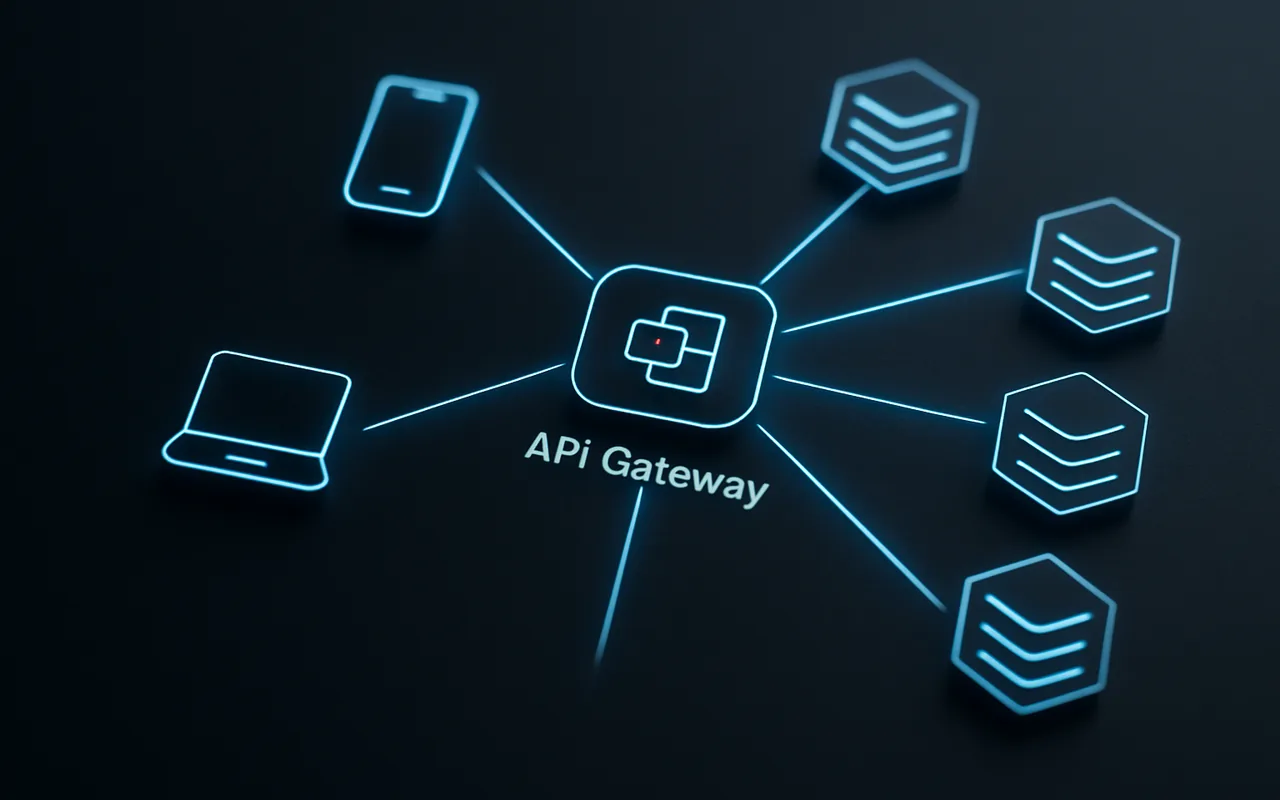
When you commission a multi-service application, every mobile screen, every web page, and every third-party integration needs to talk to your backend. If each of those clients talks to each service directly, you quickly end up with a mess: auth logic scattered across five codebases, no consistent way to throttle abusive traffic, and a logging blind spot that makes debugging a nightmare. An API gateway solves all of that by acting as the single front door to your entire backend — the traffic cop that routes, protects, and observes every request before it ever touches a service.
This guide is written for founders, product managers, and technical decision-makers who are planning or reviewing a software architecture. You do not need to write gateway configuration files to get value from it. By the end you will know exactly what a gateway does, when you need one, and what to discuss with your engineering team before picking one.
The Problem an API Gateway Solves
Imagine your application has three backend services: one for user accounts, one for product data, and one for payments. Your mobile app needs data from all three. Without a gateway, the mobile client calls each service directly — three separate connections, three separate authentication checks, three separate sets of TLS certificates to maintain, and three separate places to look when something goes wrong at 2 a.m.
Think of it like the difference between walking into a large office building and going directly to every department yourself versus checking in at the reception desk first. The receptionist knows where everyone is, verifies who you are once, and routes you appropriately. If you are not on the list, you do not get in — regardless of which department you were headed to.
That reception desk is the API gateway. It gives you a unified entry point, consistent policy enforcement, and a single audit trail — without forcing every service to reinvent those wheels independently.
What Is an API Gateway, Exactly?
An API gateway is a server (or managed service) that sits between client applications and your collection of backend services. It intercepts every inbound API request, applies a configurable set of policies — authentication, routing, rate limiting, transformation — and forwards the request to the correct service. It then collects the response and returns it to the caller.
Here is the request flow in plain steps:
- Client sends a request — a mobile app calls
POST /orders. - Gateway authenticates — the gateway validates the JWT or API key. Invalid credentials? 401 returned immediately; the order service never sees the request.
- Gateway routes — the path
/ordersis mapped to the order service at an internal address the client never knows. - Gateway aggregates or transforms (optional) — for mobile clients it might strip heavy fields the small screen does not need, or fan out to two services and merge the responses.
- Gateway returns the response — with added headers (correlation ID, rate-limit remaining) and a log entry written to your observability stack.
The client sees one clean API surface. The backend services see only internal, pre-authenticated traffic. The gateway absorbs all the complexity in between.
What an API Gateway Actually Does (Core Functions)
Request Routing
The gateway maintains a routing table that maps public URL paths or hostnames to internal service addresses. /api/users/** goes to the user service; /api/products/** goes to the product catalog; /api/payments/** goes to the payment processor. This path-based routing is the most common form, but gateways also support header-based routing — sending requests with X-Api-Version: 2 to a different service instance than v1 requests.
Load balancing is typically built in: the gateway can distribute traffic across multiple instances of the same service, remove unhealthy instances from the pool, and implement weighted routing for canary deployments (send 10% of traffic to the new version before committing fully).
Authentication & Authorization
This is the function that pays for the gateway most quickly in a microservices architecture. Without a gateway, every service must independently validate API keys, parse OAuth 2.0 tokens, or verify JWTs. That means the same auth logic is copied (and possibly inconsistently maintained) across your entire service fleet.
A gateway centralises that work. It verifies the token once at the edge. Only requests that pass are forwarded downstream — and they arrive with the decoded identity already attached (for example, a X-User-Id header the service can trust). Services no longer need their own auth dependencies. They become simpler, faster, and harder to exploit through auth misconfigurations.
Rate Limiting & Throttling
Public-facing APIs are constantly probed by bots, scrapers, and occasional denial-of-service attempts. A gateway enforces rate limits before malicious or runaway traffic ever reaches a service. A typical policy might read: 1,000 requests per minute per API key. Exceed that limit and the gateway returns a 429 Too Many Requests — the backend service never pays the processing cost.
Rate limiting also protects you from well-intentioned but careless integrations: a partner who accidentally deploys a tight polling loop at midnight will hit your gateway cap, not your database.
Logging, Monitoring & Tracing
Because every request passes through the gateway, it is the ideal place to emit a unified request log: timestamp, method, path, status code, upstream service, latency, and a correlation ID that follows the request through every downstream hop. This single choke point eliminates the need to aggregate logs from each service to get a picture of overall API health.
Most production-grade gateways integrate with distributed tracing systems (Jaeger, Zipkin, AWS X-Ray). A correlation ID generated at the gateway edge travels with the request through every service call, so you can reconstruct the full journey of a slow request in a single trace view — without correlating logs manually.
Response Transformation & Caching
Different clients often need different shapes of data. Your desktop web app might want the full product object with all metadata; your mobile app wants a trimmed version to save bandwidth. The gateway can apply response transformation per client type — stripping fields, renaming keys, or aggregating two service responses into one — without requiring services to add client-specific logic.
Edge caching at the gateway layer can dramatically reduce backend load for read-heavy, slowly changing data (product listings, config, static reference data). A cached response served at the gateway costs nothing to the backend service, and adds sub-millisecond latency instead of the full round-trip.
API Gateway vs. Load Balancer vs. Reverse Proxy
These three infrastructure components are often confused — and often co-exist. The distinction matters when you are designing your stack or reviewing a vendor proposal.
| Tool | Primary job | Protocol awareness | Auth / rate-limit |
|---|---|---|---|
| Load balancer | Distribute traffic across identical instances of a service | Layer 4 (TCP/UDP) or Layer 7 (HTTP) | None |
| Reverse proxy | Forward client requests to backend servers; handle TLS termination, compression, static files | Layer 7 (HTTP/HTTPS) | Basic or none |
| API gateway | Route, authenticate, throttle, transform, and observe API traffic across multiple services | Layer 7 — API-aware (REST, GraphQL, gRPC) | Full — OAuth 2.0, JWT, API keys, policies |
The key takeaway: a load balancer knows nothing about your API contract; a reverse proxy is HTTP-aware but not API-aware; a gateway is API-native. In practice, a gateway sits behind a cloud load balancer (which handles TCP-level resilience and TLS offload) and in front of your services — all three layers can and often do co-exist.
When Do You Actually Need an API Gateway?
- ✅ Building or scaling a microservices app. If you have two or more independent backend services, a gateway pays for itself almost immediately by centralising auth and routing.
- ✅ Multiple client types. Mobile apps, web frontends, and third-party partner integrations all have different payload needs. A gateway handles the translation so your services do not have to.
- ✅ Consistent auth and rate limiting across services. A centralised policy means one place to update, one place to audit, and no risk of a new microservice launching without auth by mistake.
- ✅ Public API exposed to external developers. An API gateway is standard infrastructure for any developer-facing API program. It enforces your usage tiers, generates per-key analytics, and protects your infrastructure from misuse.
- ❌ Simple monolith with one frontend. If you have a single Rails or Django app serving one web frontend, adding a gateway introduces latency and operational complexity without meaningful benefit. Start with a well-designed REST API built into the monolith; add a gateway when you decompose services.
Popular API Gateway Options in 2026
| Product | Hosting | Best for | Free tier? |
|---|---|---|---|
| AWS API Gateway | Managed (AWS) | Teams already on AWS; serverless and Lambda-heavy architectures | Yes — 1M calls/month for 12 months |
| Kong Gateway | Self-hosted or Kong Cloud | Largest self-hosted install base; Kubernetes-native with a rich plugin ecosystem | Open-source (OSS) is free |
| Azure API Management | Managed (Azure) | Enterprise governance, developer portals, and hybrid on-prem/cloud scenarios | Consumption tier — pay per call |
| Nginx / Traefik | Self-hosted | Lightweight DIY gateway on a single cluster; minimal operational footprint | Open-source — free |
Kong is the most widely deployed self-hosted option; see Kong’s documentation for a deep-dive on its plugin architecture. AWS API Gateway is the fastest path to production if your infrastructure already lives on AWS. For teams with strong Azure commitments or enterprise compliance requirements, Azure API Management adds a full developer portal and lifecycle tooling on top of the routing layer.
What to Discuss With Your Development Partner Before Choosing One
Picking a gateway is not just a technical choice — it shapes your operational overhead and vendor dependency for years. Before committing, walk through these questions with your web application development team:
- Traffic volume and scaling expectations. A managed gateway like AWS API Gateway scales automatically and charges per call; Kong self-hosted requires you to manage Kubernetes nodes but gives predictable fixed costs at high volume.
- Existing cloud provider. Using AWS API Gateway when your databases and compute are already on AWS minimises integration friction. Choosing a different provider’s gateway introduces cross-cloud latency and split observability.
- On-prem vs. cloud-managed tradeoff. Regulated industries (financial services, healthcare) sometimes require the gateway to run inside their own network perimeter. Kong and Nginx both support full on-premise deployments; AWS and Azure do not.
- Monitoring stack compatibility. Your gateway should export metrics to the same observability stack your team already uses. Confirm support for your specific metrics/tracing toolchain before signing an enterprise contract.
- Plugin and extensibility needs. Need custom auth logic, special transformation rules, or ML-based anomaly detection? Kong’s plugin marketplace has 60+ production plugins; AWS has Lambda authorizers for custom logic; Nginx requires Lua scripting. Know your requirements before you evaluate.
FAQ
Is an API gateway the same as an API management platform?
No — though many products bundle both. An API gateway handles runtime traffic: routing, authentication, rate limits, and transformation. An API management platform adds a developer portal, analytics dashboards, API versioning lifecycle, and monetisation tools on top of the gateway layer. If you are building a public API program with external developers, you probably want both. If you are routing internal microservice traffic, the gateway alone is usually sufficient.
Can a small startup benefit from an API gateway?
Yes — if you already run two or more separate backend services (for example, an auth service and a data service), a lightweight gateway like Kong OSS or a managed option pays for itself quickly by centralising auth and logging. The overhead is minimal on a small cluster. If you are still a true monolith with a single database and one API surface, hold off: the gateway adds complexity before you have the problem it solves.
Does adding an API gateway slow down my API?
A well-configured gateway adds approximately 1–5 ms of latency per request — negligible for the vast majority of applications. That overhead is typically offset by connection pooling to upstream services (reducing per-request TLS handshake cost) and edge caching for frequently requested data. The observability gains alone usually justify the small latency cost in any multi-service architecture.
What’s the difference between an API gateway and a service mesh?
A gateway manages north–south traffic: requests coming from external clients into your cluster. A service mesh (Istio, Linkerd) manages east–west traffic: service-to-service calls inside the cluster. They solve different problems and mature architectures typically use both — a gateway at the edge for external API management, and a service mesh for internal mTLS, circuit breaking, and service-to-service observability.
How much does an API gateway cost?
Open-source options like Kong and Nginx are free to self-host; you pay for the compute and operational effort. Managed services scale with request volume: AWS API Gateway charges roughly $3.50 per million HTTP API calls after the free tier; Azure API Management starts at a fixed monthly fee per unit. Enterprise contracts for Kong Enterprise or Azure API Management can run from $20,000 to $200,000 per year depending on traffic tier and support level. For most startups, the open-source self-hosted path or the managed pay-per-call model is the right starting point.