What Is a CDN? A Business Owner’s Plain-English Guide

A content delivery network (CDN) is a system of servers distributed worldwide that stores copies of your website’s files and delivers them from whichever location is closest to each visitor. The result: faster load times, lower server costs, and a site that stays online even during traffic spikes. This guide explains exactly how CDNs work, who needs one, and how much they cost — in plain English, without the jargon.
The One-Sentence Explanation
A CDN is a worldwide network of servers that caches copies of your web assets — images, CSS, JavaScript, fonts — and serves them to each user from the nearest location, dramatically cutting the round-trip time between your content and the person trying to see it.
Why Website Speed Matters More Than You Think
Before getting into the mechanics, it’s worth understanding why speed is worth investing in at all.
Load Time and Conversions
Every additional second of page load time costs real money. Studies consistently show that even a one-second delay reduces conversions by 7 % or more. For e-commerce stores, a site that loads in 2 seconds converts at roughly double the rate of one that takes 5 seconds. Speed is not a technical nicety — it is a revenue lever.
Load Time and Google Rankings (Core Web Vitals)
Google’s Core Web Vitals programme makes page speed a direct ranking factor. The metric you should care about most is LCP (Largest Contentful Paint) — how quickly the main content of your page loads. Google considers anything under 2.5 seconds “good.” A CDN can shave hundreds of milliseconds off LCP by serving your hero image from an edge server 30 miles away instead of your origin server 5,000 miles away.
How a CDN Actually Works
CDNs are one of the most important layers in a modern web application tech stack. Understanding them requires knowing three concepts. A detailed explanation of the full CDN model is available on the Cloudflare Learning Center.
Origin Server vs. Edge Servers
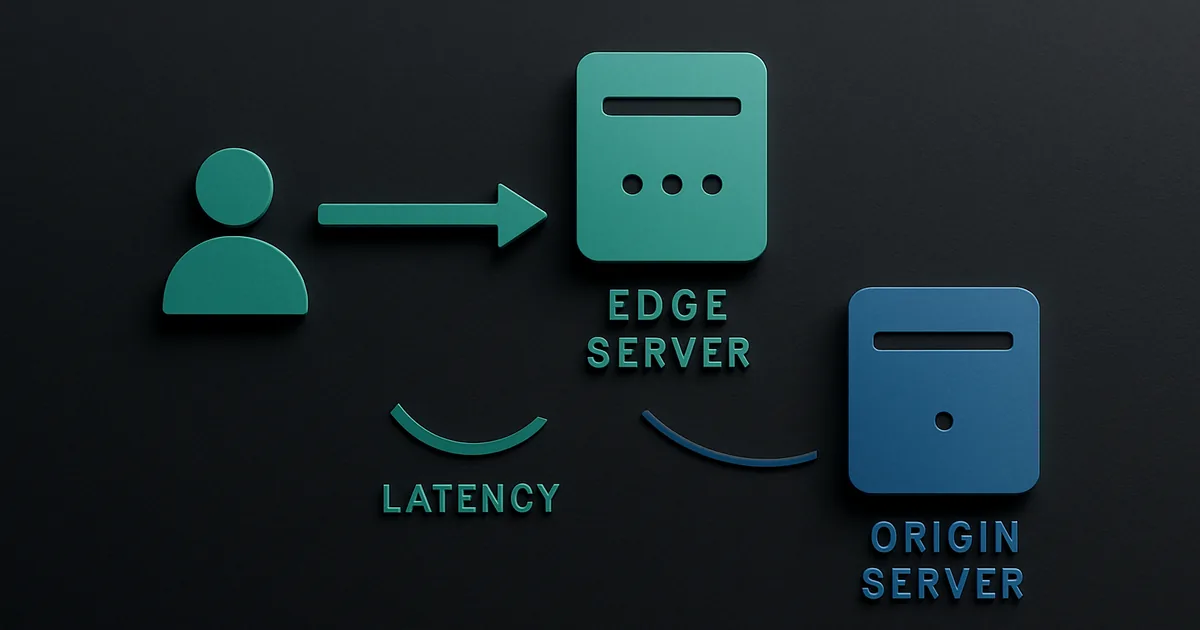
Your origin server is the single machine (or cluster) that hosts your actual website and generates dynamic content — the WordPress server, the Node.js app, the database. Without a CDN, every visitor in the world connects directly to that one origin. A visitor in Tokyo connecting to a server in New York experiences 150+ milliseconds of latency before a single byte loads.
Edge servers (also called Points of Presence or PoPs) are the CDN’s distributed outposts. Major CDN providers operate hundreds of them, placed close to population centres in every region. When your content is cached at the Tokyo PoP, a Japanese visitor gets it from 5 ms away instead of 150 ms.
What Gets Cached at the Edge
CDNs are excellent at serving static assets: images, CSS files, JavaScript bundles, web fonts, video files, PDFs — anything that does not change per user. They can also cache dynamic content (like an API response or a personalised page), but that requires more careful cache-rule configuration. By default, most CDNs cache static assets automatically.
The Request Journey: Step by Step
Here is what happens when a visitor loads your page through a CDN:
- The visitor’s browser sends a DNS request for your domain.
- The CDN’s DNS routes the request to the nearest edge PoP.
- The edge server checks its cache. If the file is cached (a “cache hit”), it sends it immediately — no trip to your origin needed.
- On a cache miss, the edge server fetches the file from your origin, stores it locally (cache invalidation rules determine how long it stays), and delivers it to the visitor.
- All subsequent visitors in that region get the cached copy until the TTL expires.
The Four Core Business Benefits of a CDN
Faster Pages, Everywhere in the World
The most obvious benefit is reduced latency. Your origin may be in a single data centre; a CDN gives every visitor a local copy. Visitors in Singapore, São Paulo, and Stockholm all get sub-50 ms delivery of your static assets, regardless of where your server lives.
Lower Bandwidth and Hosting Costs
Every request the CDN answers from cache is a request your origin server never sees. Depending on your traffic mix, a CDN typically absorbs 70–95 % of all requests. That means dramatically lower bandwidth bills from your host and less compute demand on your origin, which can let you run on a cheaper server tier.
Resilience Against Traffic Spikes and DDoS
When a product goes viral or a campaign drives a sudden traffic spike, an unprotected origin often falls over. A CDN distributes that load across its global network, so your origin only handles a fraction of it. CDNs also include built-in DDoS protection — volumetric attacks are absorbed and filtered at the edge before they ever reach your infrastructure.
A Built-In Security Layer
Most enterprise and mid-tier CDNs include SSL/TLS termination at the edge, meaning HTTPS is handled by the nearest PoP rather than your origin, reducing cryptographic overhead. Many also offer a WAF (Web Application Firewall) that blocks common attack patterns — SQL injection, XSS — before they reach your application code.
CDN vs. Web Hosting: What Is the Difference?
A CDN does not replace your web hosting. These two things work together, not instead of each other.
- Web hosting is where your website lives and runs — the origin server that stores your database, runs your application code, and generates pages.
- A CDN sits in front of your hosting and caches the output, delivering it faster to visitors around the world.
Think of it this way: your hosting is the kitchen; the CDN is the network of delivery drivers who get food to every neighbourhood fast. Without the kitchen you have nothing to deliver. Without the drivers, every customer has to make the trip themselves.
When Does Your Business Actually Need a CDN?
The honest answer is: almost certainly yes, even for small sites. Here’s a practical decision framework:
- You have visitors outside your hosting region. If your server is in the US but 20 % of your traffic is from Europe or Asia, a CDN is an immediate win.
- Your site is image-heavy. Product photos, hero images and gallery pages are ideal CDN candidates.
- You run an e-commerce store or SaaS product. Every millisecond of load time affects your conversion rate. CDN is table stakes.
- You’ve experienced traffic spikes or outages. If a campaign ever took your site down, a CDN is infrastructure insurance.
- Even if none of the above apply — Cloudflare’s free plan takes 20 minutes to set up and immediately improves Core Web Vitals scores. The risk of not using one outweighs the trivial setup effort.
How Much Does a CDN Cost?
CDN pricing has become remarkably accessible. When budgeting a new site, it’s worth including CDN cost alongside other website development costs — it is often one of the cheapest line items.
- Cloudflare Free: Zero dollars. Includes global CDN, DDoS protection, SSL, basic WAF. The free plan is genuinely production-grade for most SMBs. Paid plans start at $20/month for additional analytics and rules.
- AWS CloudFront: Pay-as-you-go. Roughly $0.0085–$0.02 per GB of data transfer (depending on region), with the first 1 TB/month free. Ideal if you’re already on AWS infrastructure.
- Akamai: Custom contracts starting in the thousands per month. Aimed at enterprise workloads, media streaming, and high-traffic e-commerce at scale.
- KeyCDN, BunnyCDN: Budget alternatives at $0.01–$0.06/GB — good for smaller sites that want a dedicated CDN provider without AWS complexity.
For most small businesses, Cloudflare’s free plan is the right starting point. The upgrade path is clear when you outgrow it.
The Three Major CDN Providers at a Glance
Understanding your options helps you pick the right tool for your scale. Note that serverless computing is increasingly offered at the CDN edge itself — providers like Cloudflare Workers let you run serverless functions at every PoP, blurring the line between CDN and compute.
Cloudflare
Cloudflare operates one of the largest networks in the world — 310+ cities across 100+ countries. Its free plan is uniquely generous: you get the full CDN, automatic HTTPS, DDoS mitigation, and a basic WAF with no usage cap. Setup requires pointing your domain’s nameservers at Cloudflare (a 20-minute process). It works with any web host and any CMS. See the AWS CloudFront overview for a comparison of the enterprise-grade alternative.
Amazon CloudFront
CloudFront is tightly integrated with the AWS ecosystem — S3, EC2, Lambda@Edge, API Gateway. If your architecture already runs on AWS, CloudFront is the natural choice. Pricing is pay-as-you-go with no minimums, and the first 1 TB of transfer per month is free. It requires more configuration than Cloudflare but gives finer-grained control over cache behaviours and edge logic.
Akamai
Akamai is the oldest major CDN and still dominates enterprise media, financial services, and high-traffic e-commerce. Its network spans 4,100+ PoPs — more than any competitor — and it offers advanced features like adaptive media delivery, real-time analytics, and dedicated account support. There is no free tier; contracts are custom-priced and typically require a minimum spend. For most SMBs, Akamai is overkill.
| Provider | Free Tier | Best For | Pricing Model |
|---|---|---|---|
| Cloudflare | ✓ (generous) | SMBs, WordPress, Jamstack | Free / $20+/mo plans |
| AWS CloudFront | Pay-as-you-go | AWS-native apps | $0.0085–$0.02/GB |
| Akamai | No | Enterprise, media streaming | Custom contract |
How to Add a CDN to Your Website (Practical Steps)
Getting a CDN live is straightforward for most sites:
- Pick a CDN provider. For most businesses, start with Cloudflare Free. If you’re on AWS, start with CloudFront.
- Point DNS or enable the proxy. With Cloudflare, you update your domain’s nameservers. With CloudFront, you create a distribution and update your DNS CNAME record to point at the CDN endpoint.
- Configure cache rules. Define which file types to cache, how long to keep them (TTL), and which paths should bypass the cache (e.g., checkout pages, admin dashboards, logged-in sessions).
- Test with a cache-buster. Append
?cb=1to your URL after launch and check response headers forCF-Cache-Status: HITorX-Cache: Hitto confirm the CDN is serving content. - Monitor performance. Run a before/after test using Google PageSpeed Insights or WebPageTest to verify LCP improvement. Watch your origin server’s bandwidth usage drop.
If your site needs a deeper performance overhaul — moving to a faster framework, restructuring assets, or improving server-side rendering — a dedicated web development team can address the root causes that no CDN overlay can fix.
FAQ: CDN Questions Answered
Does a CDN replace my web hosting?
No — a CDN sits in front of your hosting, not instead of it. Your origin server (the hosting) still stores and generates your content; the CDN caches and delivers copies of it closer to visitors.
Will a CDN hurt my SEO?
No — it helps. Faster pages improve Core Web Vitals scores (especially LCP), which are a confirmed Google ranking factor. The CDN does not change your canonical URLs.
Do I need a CDN for a small business website?
Probably yes, even for small sites. Cloudflare’s free plan takes under 30 minutes to set up and immediately improves load times for visitors outside your hosting region. The downside risk is close to zero.
How long does it take to set up a CDN?
Cloudflare takes 20–30 minutes. You update your domain’s nameservers, Cloudflare proxies traffic, and you’re done. Enterprise CDNs like Akamai involve a proper onboarding process that can take days to weeks.
Does a CDN work with any website platform?
Yes — CDNs work at the DNS/network layer, so they’re compatible with WordPress, Shopify, custom-coded sites, web apps, and anything that runs over HTTP/HTTPS.
The Bottom Line
A CDN is one of the highest-return infrastructure investments available to any website owner. It makes your site faster for everyone, reduces server costs, protects against attacks, and directly improves your Google rankings through better Core Web Vitals. For most businesses, Cloudflare Free delivers 80 % of the value with zero budget and 20 minutes of setup time. There is almost no scenario where adding a CDN makes things worse — start with the free tier today and upgrade only when you genuinely need more.