Mobile App Maintenance Cost: What to Budget After Launch (2026)

Building a mobile app is the investment you plan for. Maintaining it is the ongoing cost most owners underestimate. Once your app is live, the budget doesn’t stop — OS updates, security patches, third-party API changes, and infrastructure costs arrive whether you’re adding features or not. This guide gives you concrete 2026 numbers by app type, explains the industry’s 15–20% rule, and closes with a practical budget checklist you can bring to your next vendor conversation.
What “App Maintenance” Actually Includes
Many owners treat maintenance as “fixing bugs when something breaks.” That’s the reactive slice. The full picture is wider — and budgeting for the full picture is how you avoid surprise invoices.
Bug Fixes and Crash Resolution
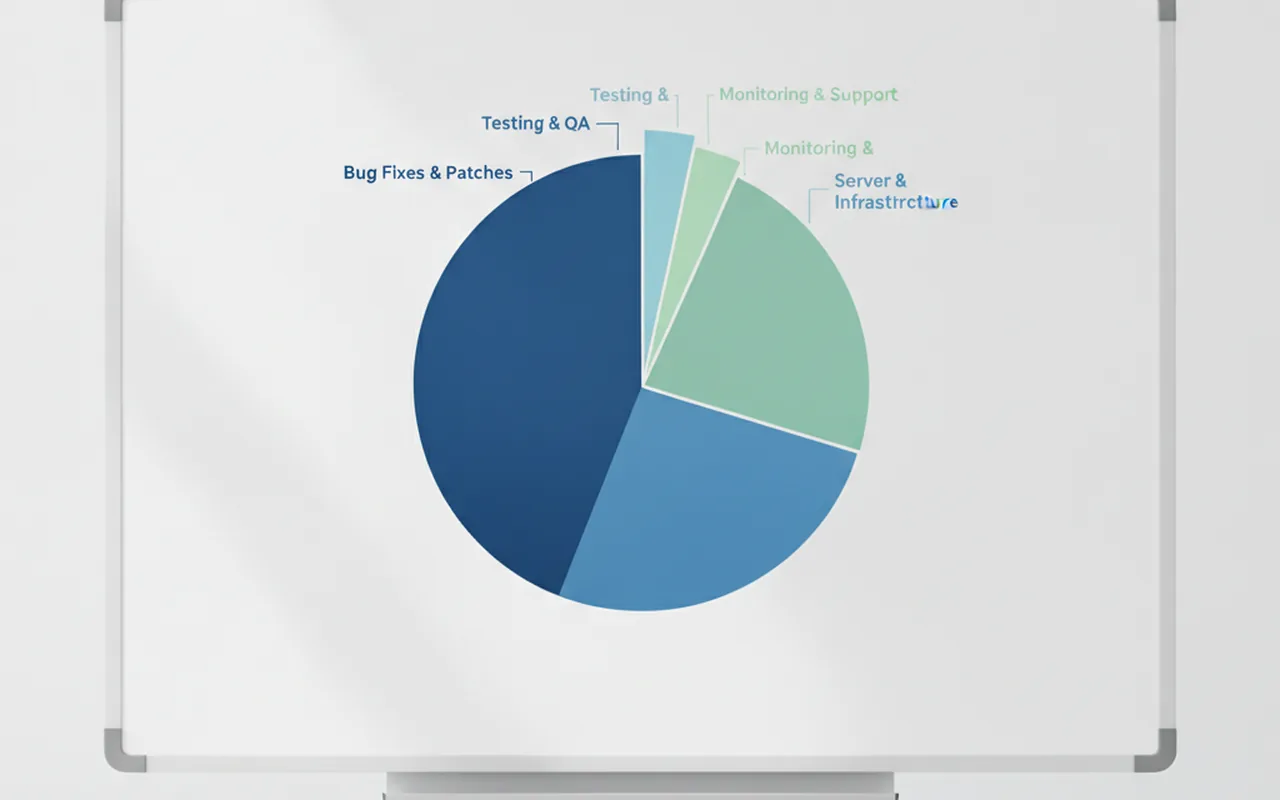
Post-launch bug fixing is the most visible maintenance work. A well-built app launched to a small audience will generate fewer than 5 crash-causing bugs per 1,000 sessions in the first month; a complex app at scale can surface dozens per week. Crash monitoring tools like Firebase Crashlytics surface issues in near real-time, but resolving them still requires developer hours — and those hours compound if you’re also mid-feature-build.
OS and Platform Updates (iOS, Android)
Apple and Google each release a major OS version every autumn — iOS 19 and Android 16 are on the horizon for late 2026. Apps that don’t update within 12–24 months risk being flagged as incompatible and removed from the respective stores. Testing against new OS releases, patching deprecated APIs, and handling new permission models is non-negotiable maintenance work.
Security Patches and Compliance
Every month, security researchers disclose new vulnerabilities in mobile SDKs, encryption libraries, and backend frameworks. An unmaintained app is an accumulating attack surface. For apps handling payments (PCI-DSS), health data (HIPAA), or EU user data (GDPR), security maintenance is also a legal obligation — not just best practice.
Third-Party API and SDK Updates
The average mid-tier app connects to 5–10 external services: payment gateways, push notification providers, analytics SDKs, social login APIs, mapping services. Each of those vendors releases breaking changes on their own schedule. A Stripe API version sunset or a Google Maps SDK deprecation can break a core feature overnight without a single line of your code changing.
Performance Monitoring and Infrastructure
Server costs, CDN fees, database storage, and bandwidth grow with your user base. A popular app can see infrastructure costs double or triple in year one. Performance monitoring — tracking response times, memory usage, and crash rates — is the early-warning system that prevents those costs from spiking unexpectedly.
Optional: Feature Enhancements
Some maintenance budgets also cover iterative feature work — small UX improvements, A/B tests, and new integrations. This is technically product development, but it’s often bundled with maintenance in retainer agreements. If it’s in scope for your vendor, clarify that up front so you’re not paying two contracts for overlapping work.
The 15–20% Rule (and When It Breaks)
The most widely cited benchmark in mobile development is that annual maintenance costs roughly 15–20% of the original build cost. If you built an app for $80,000, budget $12,000–$16,000 per year to keep it healthy. To understand how much it costs to build a mobile app in the first place — and therefore what your maintenance baseline should be — the build-cost ranges by app type give you the foundation.
| Original build cost | Annual maintenance (15%) | Annual maintenance (20%) |
|---|---|---|
| $20,000 | $3,000 | $4,000 |
| $50,000 | $7,500 | $10,000 |
| $100,000 | $15,000 | $20,000 |
| $200,000 | $30,000 | $40,000 |
When the rule underestimates: High-traffic apps that scale infrastructure rapidly, fintech and healthcare apps with quarterly compliance audits, and apps doing monthly feature drops will routinely land above 20%. Compliance alone — penetration testing, security audits, certification renewals — can add $10,000–$30,000 per year on top of routine maintenance.
When the rule overestimates: A simple utility app with low user volume, no third-party integrations, and a clean, well-documented codebase might sustain at 8–12% annually. If your app is essentially read-only content delivery with no backend logic, the floor is lower.
Mobile App Maintenance Cost Ranges by App Type (2026)
These are 2026 market rates for professional maintenance by an agency or dedicated external team. In-house numbers vary widely by geography.
| App type | Complexity | Annual maintenance cost | Monthly equivalent |
|---|---|---|---|
| Simple utility | Low | $5,000 – $15,000 | $420 – $1,250 |
| Mid-tier app | Medium | $15,000 – $50,000 | $1,250 – $4,200 |
| Feature-rich / consumer app | High | $50,000 – $120,000 | $4,200 – $10,000 |
| Enterprise / fintech / healthtech | Very high | $120,000 – $250,000+ | $10,000 – $20,000+ |
Quick reference: Most teams pay $1,200–$10,000/month depending on app size, complexity, and whether feature development is included in the agreement.
The 5 Biggest Factors Driving Your Maintenance Bill
1. Number of Platforms (iOS + Android vs. one)
Supporting both iOS and Android roughly doubles the QA burden for every OS update. Each platform has its own review guidelines, permission changes, and compatibility quirks. Cross-platform codebases (Flutter, React Native) reduce this overhead significantly, but you still need platform-specific testing on real devices for both stores.
2. Backend Complexity and Server Costs
A serverless or managed backend (Firebase, AWS Amplify, Supabase) offloads much of the infrastructure management — maintenance is mostly configuration and monitoring rather than DevOps engineering. A custom Node.js or Go backend on bare VMs requires active server management, scaling decisions, and security patching at the OS level. The difference in maintenance burden can be two or three times the monthly engineering cost.
3. Number of Third-Party Integrations
Every integration is a dependency you don’t control. A payment processor, a KYC provider, a mapping API, and a push notification service each have independent release cycles. With 8–10 integrations, you can expect at least two to three breaking-change updates per year that require emergency developer time. Audit your integrations quarterly and consolidate where possible.
4. Compliance Requirements (HIPAA, GDPR, PCI-DSS)
Regulated apps carry a compliance maintenance tax on top of standard upkeep. Annual penetration tests, security audits, data-retention reviews, and certification renewals are non-discretionary budget items. HIPAA-covered apps typically add $15,000–$40,000/year in compliance-specific maintenance costs alone.
5. Update Cadence (Store Policy Forces at Least Bi-Annual Releases)
Both Apple and Google’s developer policies effectively require major updates at least twice a year — once for the autumn OS release and once to maintain current SDK and API targets. Each store submission cycle includes QA, release notes, and a review period. Apps that aim for monthly or quarterly feature releases multiply this cost proportionally.
Maintenance Models: Retainer, Project-Based, or In-House?
How you structure the maintenance relationship has as much impact on cost as the app’s complexity. The three main models each have different trade-offs.
Retainer Agreement (Most Common for Ongoing Work)
A monthly retainer gives you a predictable cost and guaranteed response times written into an SLA. You pay whether or not there’s an emergency that month, but you get priority access when one happens. Most professional agencies offer retainers of 20–80 hours per month. This is the right model if your app is business-critical and downtime has a direct revenue impact.
Per-Project / On-Demand
On-demand billing means you only pay when something needs fixing or updating. It sounds cheaper until an OS update breaks a core feature on launch day and your vendor isn’t available for two weeks. On-demand works for apps with genuinely low update frequency and a tolerance for slower response times.
In-House Developer
An in-house mobile developer in North America costs $90,000–$150,000 per year in salary alone, before benefits and overhead. That’s only cost-effective if your maintenance volume is high enough to keep them productively busy full-time — which typically means more than one active app or ongoing feature development running in parallel with maintenance.
| Model | Annual cost range | Flexibility | Emergency response |
|---|---|---|---|
| Retainer (agency) | $15,000 – $120,000+ | Moderate | Fast (SLA-bound) |
| Per-project / on-demand | $5,000 – $50,000 | High | Slow (availability-dependent) |
| In-house developer | $90,000 – $160,000+ | Very high | Immediate |
When comparing contract structures, our guide to fixed price vs time & materials explains how billing model choice affects both predictability and risk for ongoing technical work. Many teams find that the easiest path to consistent app maintenance is to outsource mobile app development and maintenance to a single vendor under one retainer — continuity of knowledge about your codebase is worth more than the marginal hourly rate saving from switching firms.
Whichever model you choose, a skilled mobile app development team should be able to hand you a maintenance plan with clearly defined SLA tiers (P1/P2/P3 response times), a monthly reporting cadence, and a clear breakdown of what’s included vs. billed separately. If a vendor can’t answer those questions, treat it as a red flag. For comparison benchmarks on what to expect from maintenance agreements, AppFollow’s app maintenance guide covers common SLA structures across app categories.
Year 1 vs. Year 2+ — How Costs Change Over Time
Year 1 is the most expensive. Post-launch brings a bug surge as real users discover edge cases your QA team missed. Infrastructure often needs emergency scaling if the launch goes better than expected. User feedback loops require rapid product decisions and frequent releases. Budget a 25% buffer over your baseline estimate for year 1 — not because something went wrong, but because this is the normal pattern.
Year 2 stabilises. If the architecture is clean, costs typically dip 20–30% from year 1. The codebase is better understood, edge cases are patched, and infrastructure is right-sized. Teams in this phase often shift from reactive bug-fixing to proactive optimisation.
Year 3 and beyond brings platform spikes. Major OS versions — especially when Apple or Google deprecates an entire framework (like when Apple retired UIWebView, or when Google mandated 64-bit binaries) — can require significant refactoring investment. These happen roughly every 3–5 years and typically cost $5,000–$30,000 for a mid-tier app depending on how much of the deprecated API your codebase uses.
How to Reduce App Maintenance Costs Without Cutting Corners
Reducing maintenance spend isn’t about doing less — it’s about doing the right things at build time so the ongoing cost stays low.
- Choose cross-platform frameworks (Flutter, React Native). A single codebase maintained across both iOS and Android cuts platform-specific engineering roughly in half. The tooling in 2026 is mature enough that cross-platform is no longer a compromise for most use cases.
- Automate regression testing with a CI/CD pipeline. Every PR that ships without running your test suite is a potential regression in production. A well-configured CI/CD pipeline catches the majority of regressions before they reach users — which means fewer emergency patches and less unplanned engineering time.
- Keep third-party dependencies minimal and audited quarterly. Every SDK you add is a maintenance liability. Prefer SDKs from large, stable vendors with long LTS windows. Audit your dependency list every quarter and remove anything not actively earning its keep.
- Write clean, well-documented code at build time. Technical debt is the single largest hidden maintenance driver. Code that future maintainers can understand and modify quickly costs a fraction as much to keep current as a codebase full of undocumented workarounds.
- Use managed cloud services (Firebase, AWS Amplify, Supabase). Managed backends handle OS patching, scaling, and uptime monitoring as part of the platform fee. You trade some control for dramatically reduced infrastructure management overhead.
App Maintenance Budget Checklist
Use this before signing a maintenance contract or setting your annual product budget:
- Calculate 15–20% of your original build cost as your baseline annual maintenance budget before infrastructure.
- Add server and infrastructure costs separately. Vendor maintenance quotes often exclude hosting, CDN, database, and push notification fees — confirm in writing what’s included.
- Confirm emergency bug fix coverage. Ask whether P1 emergency fixes (app crashing for all users) are included in your retainer or billed separately at an emergency hourly rate.
- Allocate a separate line for autumn OS update testing. Apple typically releases in September, Google in October. Both require dedicated QA cycles before the final release.
- Include app store compliance review time. Allow 2–4 engineering hours per store submission for preparation, metadata updates, and handling reviewer rejections.
- Reserve 10% of your maintenance budget for unexpected third-party API breaks or deprecations. One sunset per year is average for apps with 5+ integrations.
- Negotiate SLA response times by severity level. A clear P1/P2/P3 escalation path in your contract prevents expensive ambiguity when something actually breaks.
- Schedule an annual technical audit. A structured code review once per year surfaces accumulated technical debt before it compounds into a major refactor and prevents silent performance regressions that inflate infrastructure costs.
Frequently Asked Questions
How much does it cost to maintain an app per month?
Most apps cost $1,200–$10,000 per month to maintain. Simple apps with low traffic and few integrations sit at the low end of that range. Enterprise apps with active compliance requirements and ongoing feature development typically land between $8,000 and $20,000 per month.
Is maintenance included in the original development contract?
Rarely. Most development contracts cover the build only — design, engineering, QA, and launch. Maintenance is a separate agreement, typically structured as a monthly retainer or on-demand hourly billing. Always confirm the handoff terms in your build contract before launch so there’s no gap in coverage.
What happens if you skip app maintenance?
iOS and Android each release a major OS version annually. Skipping compatibility updates risks your app being removed from the App Store or Google Play for incompatibility with current OS requirements. Security vulnerabilities also accumulate rapidly in unmaintained apps — creating legal and reputational risk, especially for apps handling personal or payment data.
How do I know if my maintenance costs are too high?
Benchmark against the 15–20% rule. If you’re paying significantly above 20%, ask for a detailed breakdown. High costs usually reflect either heavy technical debt inherited from poor initial code quality — which makes every small change expensive — or frequent emergency fixes that signal a reactive rather than proactive maintenance approach.
Can I maintain an app with a freelancer instead of an agency?
Yes, but with caveats. A freelancer must be fluent in your specific codebase (not just the language) and available for emergency fixes within your acceptable response window. The main risk is single-person dependency: if they’re unavailable or move on, you have no coverage. Plan for proper handoff documentation and consider a backup retainer arrangement if the app is business-critical.