HubSpot's New UI Goes Mandatory on August 31: What Your Marketing Team Needs to Know
If you use HubSpot, your platform is about to look different whether you want it to or not. On August 31, 2026 — three weeks from now — HubSpot's 2026 visual redesign becomes the mandatory default for every customer on every plan. The opt-in beta has been available since June 30; after August 31, there is no switching back to the classic theme. HubSpot confirmed the timeline in its official release notes.
The visual refresh is only the first phase of a two-stage overhaul. The second phase — a deeper AI-first reimagining of the platform — is already in motion and will roll out in stages over roughly the next six months. Understanding what changes on August 31 versus what changes later matters for how you brief your team and plan training.
What is actually changing on August 31
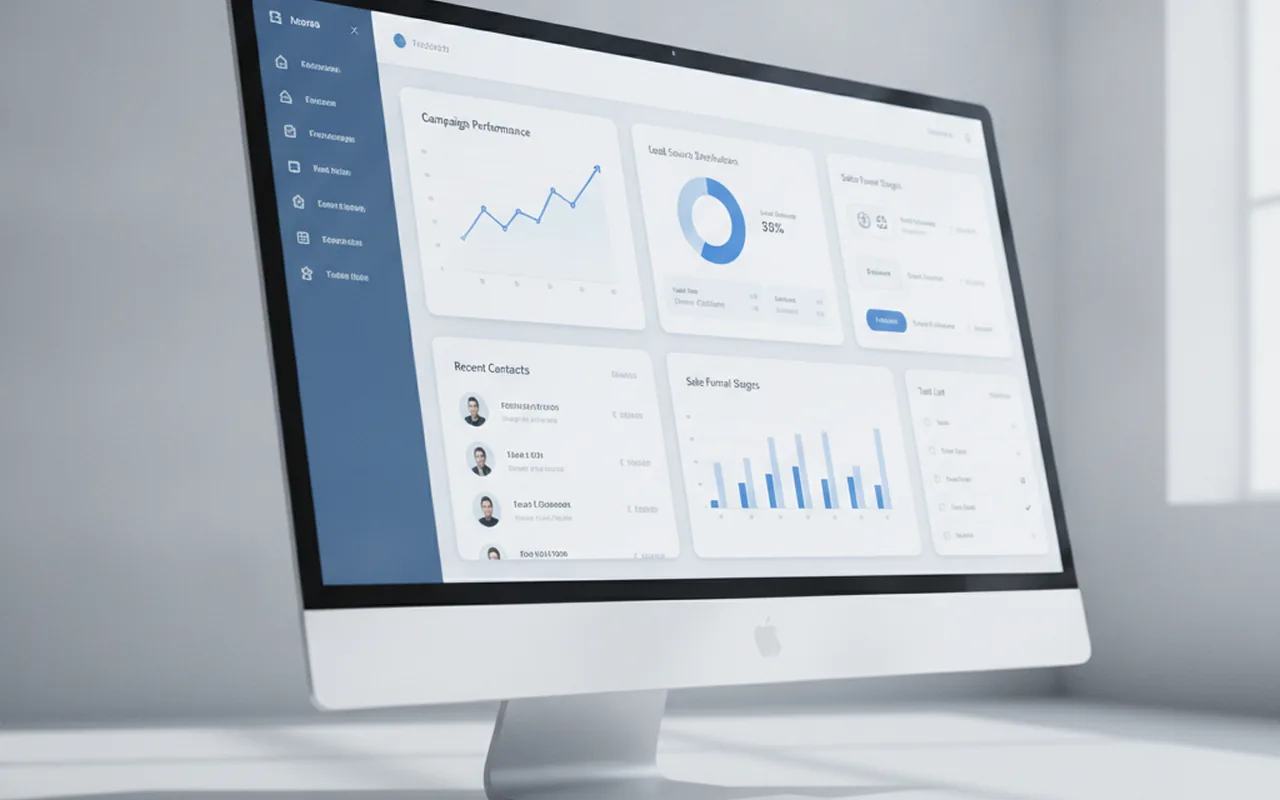
The August 31 rollout is a visual refresh, not a functional rebuild. The core navigation, menu structure, workflow logic, and data models are all staying put. What changes is how the interface looks and feels:
- Lighter overall tone. The heavy, dark headers are replaced with a cleaner, lighter aesthetic that gives the interface more breathing room.
- Cleaner typography. Font sizing and weight hierarchy are updated to improve readability — particularly on dense record views and list pages.
- Intentional spacing. Padding and whitespace are increased to separate content blocks more clearly, reducing the feeling of information overload on crowded screens like contact timelines and deal records.
- Content-centric layout. The redesign explicitly shifts visual emphasis away from chrome and navigation elements toward the actual content — contact data, deal metrics, email results — that you spend most of your time looking at.
- Updated index pages. List views for contacts, companies, deals, and tickets have cleaner row rendering with updated column styling, though the structure and filtering remain the same.
What this is not: it is not a change to how automations run, how reporting calculates, how integrations connect, or how data syncs to your CRM. If your team has built complex workflows or relies on specific field mappings, none of that is affected by the visual layer change.
What is not changing
HubSpot has been clear that the navigation structure is intact. The same hub-and-spoke layout — Marketing, Sales, Service, CMS, Operations as primary navigation destinations — carries over unchanged. Menu items are in the same places. Keyboard shortcuts, saved views, and list filters work the same way.
This matters because the most common concern teams raise when a primary tool changes its UI is retraining time. For the August 31 update, the honest answer is that retraining time should be minimal. The interface looks different; the muscle memory for where things live is the same. A 15-minute orientation walkthrough showing your team the new aesthetic — and confirming that workflows they rely on daily still work — is a reasonable preparation ceiling for most users.
If you have built custom theme templates or CSS overrides using HubSpot's CMS tools, those are worth auditing against the new default styles before August 31. The visual refresh changes base typography and spacing values, which can interact with custom CSS in unexpected ways.
The second phase: what the AI-first redesign adds after August 31
The visual refresh is phase one. Phase two is a more substantive product change rolling out in stages over approximately six months after August 31. The four headline capabilities HubSpot has announced for this phase are:
- Prioritized daily view. A new inbox-style surface that surfaces overdue follow-ups and deals that have gone quiet, ranked by urgency. Instead of navigating to task lists manually, reps and marketers get a curated view of what needs attention today.
- Smarter index pages. The contact, company, and deal list views gain inline metrics and intelligent filtering — surfacing deals that match specific conditions without requiring a manually saved filter view. Think of it as filtering that adapts to what you are trying to accomplish rather than requiring you to specify every parameter.
- AI-surfaced next actions on deal records. When you open a deal record, an AI layer will suggest the next best action — send a follow-up, schedule a call, share a case study — based on deal stage, last touch, and contact engagement data. These are suggestions, not automations; the rep still decides and acts.
- Unified marketing view. A consolidated view connecting campaigns, automation, content performance, and attribution in a single surface, rather than requiring navigation between Marketing Hub sub-sections to assemble a complete picture of campaign health.
None of these are live on August 31. They will arrive in waves as HubSpot completes the rollout. If your team is planning a major re-evaluation of your CRM and marketing stack, the AI-first capabilities coming in phase two are worth factoring into that decision — they represent a meaningful shift in how HubSpot positions itself relative to standalone AI sales tools.
How to access the new UI before August 31
The beta has been open since June 30, 2026. Any HubSpot account can opt into the new theme today via Settings > Account Defaults > Appearance. Enabling it switches the entire account to the new visual theme immediately.
There are two reasons to opt in early rather than waiting for the mandatory rollout. First, it gives your team three weeks to flag any friction points — CSS conflicts, visual anomalies, or workflow confusion — while there is still time to address them before the switch is irreversible. Second, it means August 31 passes without event rather than becoming a surprise change that prompts a wave of internal support questions.
For teams with more than ten or fifteen regular HubSpot users, a brief opt-in announcement — "we are switching to the new HubSpot look two weeks early, here is what it looks like, nothing about your workflow changes" — is worth the five minutes it takes to send. The absence of communication is what turns a minor visual update into a perceived disruption.
Comparison: classic theme vs. new theme
| Element | Classic Theme | New Theme (Aug 31) |
|---|---|---|
| Header style | Heavy, high-contrast | Lighter, content-forward |
| Typography | Compact sizing | Cleaner hierarchy, more readable |
| Spacing | Dense | Intentional whitespace |
| Navigation structure | Unchanged | Unchanged |
| Workflows and automations | Unchanged | Unchanged |
| Reporting and dashboards | Unchanged | Unchanged |
| Custom CSS compatibility | Current base styles | Audit recommended |
| Opt-out after Aug 31 | N/A | Not available |
What to do before August 31: a short checklist
- Enable the beta now. Switch your account to the new theme via Settings and give your team three weeks to get comfortable rather than three days.
- Audit custom CSS. If your team has used HubSpot's CMS theme editor or custom module CSS, test those templates in the new visual environment. Pay particular attention to type sizes, button styles, and any overrides on padding or margins.
- Send a team heads-up. A one-paragraph note explaining that the visual refresh is coming, what changes, and what does not changes the experience from "surprise disruption" to "known event." Include a screenshot if it helps.
- Check your HubSpot version for phase-two feature timing. Phase-two AI features will roll out by hub tier and plan level. Knowing which features are coming to your plan and when lets you include them in roadmap planning rather than reacting to them.
- Update internal documentation screenshots. If your team maintains process documentation, training guides, or SOPs that include HubSpot UI screenshots, those will need refreshing after August 31. Flag them now so the updates happen systematically rather than ad hoc.
Should you consider alternatives before the change?
A mandatory UI change sometimes triggers teams to reconsider whether the platform still fits their needs. That is a legitimate question to ask, but the August 31 update is probably not the right reason to ask it. The visual refresh does not add cost, does not remove features, and does not change how HubSpot integrates with your existing tech stack.
If your team has genuine concerns about HubSpot's pricing relative to what you use, or if the platform has friction points that predate this redesign, the next few months are actually a reasonable window to evaluate alternatives — you will see the full new interface and be better positioned to judge whether the AI-first phase two adds value for your specific workflows. HubSpot alternatives worth considering range from more affordable CRMs to purpose-built marketing automation platforms depending on your team size and complexity.
That said: a visual refresh in the direction of clarity and readability is rarely a reason to switch platforms. Most teams that opt in early find the new interface cleaner and faster to scan. The disruption risk is low; the risk of switching platforms unnecessarily is higher.
The bigger picture: HubSpot's AI positioning
The two-phase redesign is HubSpot's answer to an increasingly AI-saturated software market. Standalone AI sales assistants, AI SDR tools, and AI email personalization layers have proliferated over the past 18 months, and every major CRM vendor is under pressure to integrate AI capabilities natively rather than leaving customers to build their own point-solution stacks.
HubSpot's approach — a visual refresh first, then AI capability layered into familiar workflows second — is a deliberate sequencing choice. It reduces the risk of customers experiencing a jarring transition (new look, new features, new mental model all at once) while still moving the product toward AI-first operation. Analysis from HubSpot partner agencies suggests the AI-first features in phase two are where the real productivity gains will land — the August 31 date is the on-ramp, not the destination.
For marketing teams tracking the rise of agentic AI in marketing platforms, HubSpot's phase-two roadmap is worth watching closely. AI-surfaced next actions and intelligent prioritization represent early-stage agentic behavior in a CRM context — tasks that were previously manual judgment calls being surfaced and partly automated by the platform itself.
FAQ
Is the HubSpot UI redesign on August 31 mandatory for all plans?
Yes. The new visual theme becomes the default for all HubSpot customers on all plans on August 31, 2026. There is no opt-out available after that date. You can opt into the beta early via Settings > Account Defaults > Appearance before the mandatory rollout date.
Will workflows, automations, and integrations still work after the August 31 update?
Yes. The August 31 update is a visual refresh only. Workflows, automations, integrations, reporting, and all functional capabilities are unchanged. The navigation structure also remains the same, so existing habits and muscle memory for where features live are unaffected.
What if my team has custom CSS in HubSpot's CMS?
Custom CSS in HubSpot's CMS theme editor or custom modules should be audited against the new base styles before August 31. The redesign changes base typography sizing and spacing values, which can interact with CSS overrides in unexpected ways. Testing in the beta environment now gives you time to fix any conflicts before the switch is mandatory.
When does the AI-first phase two of the redesign arrive?
HubSpot has indicated that AI-first capabilities — prioritized daily views, smarter index pages, AI-surfaced next actions on deal records, and a unified marketing view — will roll out in stages over approximately six months after August 31. Feature availability may vary by plan tier. HubSpot's product changelog and in-app notifications are the most reliable sources for timing on specific features.
Does the HubSpot redesign affect HubSpot CMS-hosted websites?
The August 31 change affects the HubSpot product interface (what you see when logged into your portal), not websites hosted on HubSpot CMS. If your website uses HubSpot CMS themes, those are unaffected unless you have CSS that references HubSpot's admin-side styles — which is unusual and would only apply to custom CMS developer work.